How In-Browser Watermark Removal Actually Works
It does not run a model at all. It solves a geometry problem: the pixels around your marked area are pushed inward from the edge, nearest boundary first, each new pixel blended from neighbors that are closer to the original background — weighted by how well each neighbor's gradient points at the pixel being filled. The method is Telea's Fast-Marching Method, and it runs entirely in your browser tab.
Why you should care: this design has a hard ceiling — it cannot invent pixels that were never in your file. A cloud tool with a generative model can; that is why its fills sometimes look richer and sometimes fabricate detail you never photographed. Here, every pixel in the result comes from your own image, provably, because nothing else ever enters the computation — no model weights, no server round-trip, nothing.
The fill, one ring at a time
When you hit Remove watermark, the page does not call anything remote. It builds a thin band around your painted mask and walks it inward, like a tide coming in over the hole:
- 1. Find the boundary. The exact pixels where your mask meets untouched image become a priority queue, sorted by distance from the known area.
- 2. Fill the cheapest pixel first. The pixel nearest solid ground is handled before its neighbors. Its value is a weighted blend of the pixels already known around it.
- 3. Accept it and advance. The freshly filled pixel now counts as ground, the queue advances one ring deeper, and this repeats until the hole is closed.
That is the entire algorithm: in from the edges, nearest first, blend as you go. There is no network request anywhere in this path — the removal code contains no fetch, no XMLHttpRequest, no WebSocket, no sendBeacon. The loop is a pure distance-and-blend computation on the canvas data you loaded.
What the blend weights actually do
The fill is not a naive average, and this is where most of the visible quality comes from:
- Every candidate neighbor is weighted by how well its color gradient points toward the pixel being filled. Pixels whose surroundings "flow" toward the hole contribute more; pixels facing away contribute less.
- The result is a directional reconstruction: stripes continue as stripes, soft sky gradients stay smooth, and edges tend to continue their own line instead of blurring into mush.
One honest consequence: on a fully painted solid block, a naive average would collapse to the same flat color forever (the interior keeps averaging to itself). The directional weighting plus the marching order is what lets the fill rebuild a plausible background even there. It is still reconstructing from your pixels only — just smarter about which pixels to trust.
Deterministic by construction
Run the same image through the same mask twice and you get the same output. The removal path contains no random source at all — no Math.random, no noise injection, no dice.
Why this matters to you:
- You can A/B test masks. Paint a tighter mask, compare, widen it. The only variable that changed is your mask — not some hidden random seed. On generative tools, reruns can differ, which quietly corrupts exactly this kind of comparison.
- Failures are reproducible. If a fill looks bad on your image, it will look identically bad tomorrow. What you test is what your readers will get.
The honest ceiling of in-browser fills
A method that only moves your own pixels has a fixed ceiling, and you should know it before you pick a tool:
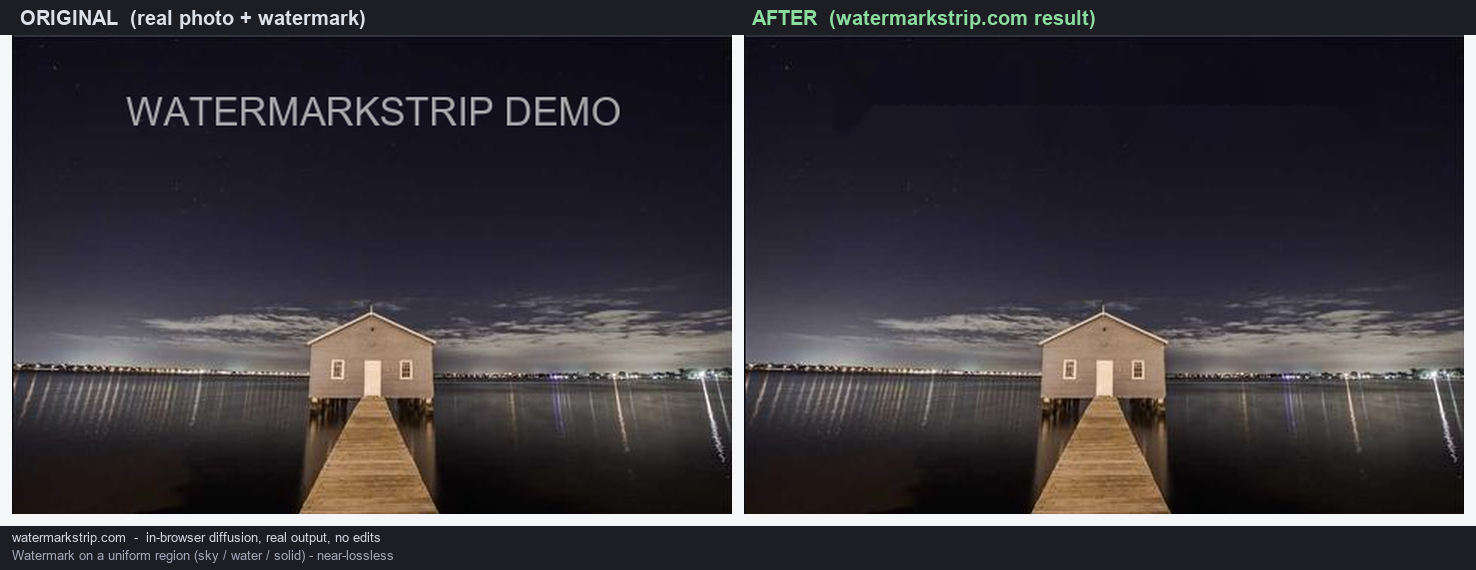
- Smooth, simple backgrounds (sky, walls, skin, water): the fill rebuilds them well.
- Large marks over detailed texture (foliage, crowds, text): the fill bridges the hole, but the texture inside it will be softer or simpler than the original. It bridges; it does not re-invent.
- Complex structures (faces, logos over intricate linework): a big cloud model will often look better. The trade: some of those pixels are generated, not yours — fine for a holiday photo, a real consideration for anything evidentiary.
Nothing here runs on your GPU in a heavy way, nothing uploads, and nothing is invented. Those three facts share one cause: it is a small geometry algorithm, not a model. If your job fits inside its ceiling, it is the more private and more predictable tool. If it does not, you now know exactly why — and what a cloud tool is really trading you for the prettier fill.