Does Facebook Remove EXIF Data When You Upload a Photo? We Stripped a GPS Photo to Find Out
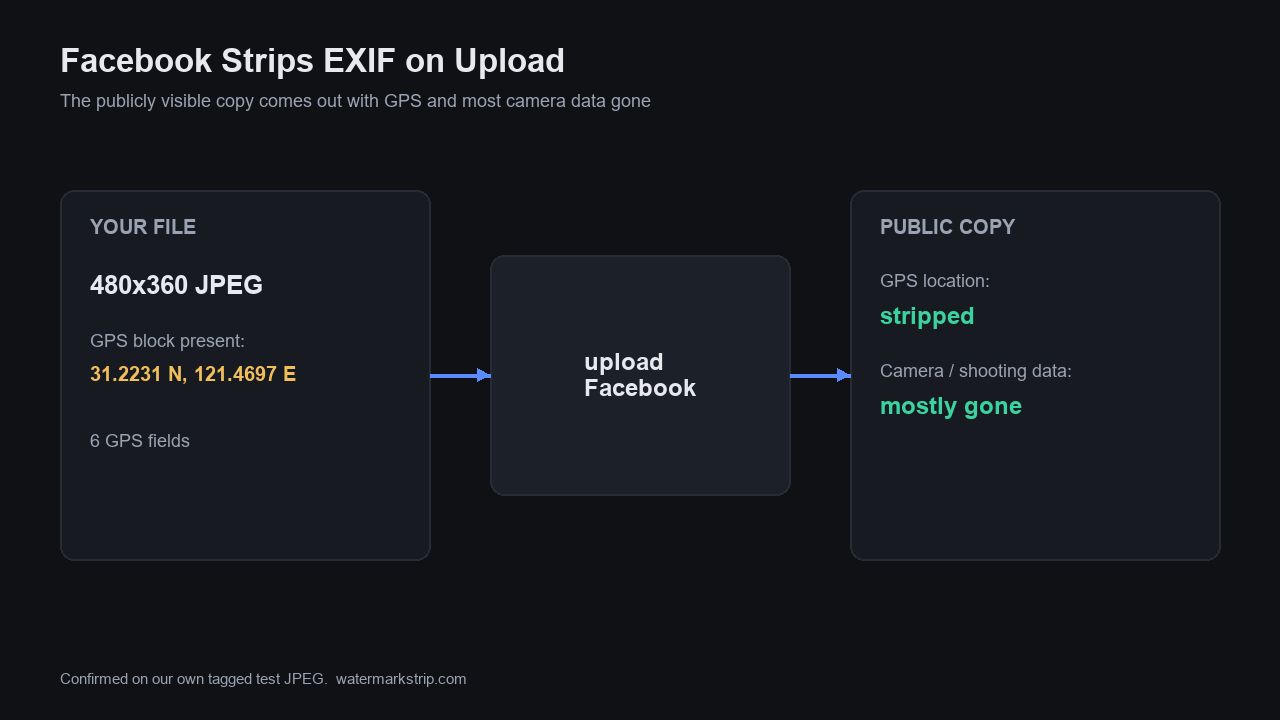
Yes - Facebook strips EXIF data, including GPS, from the photos you upload. The publicly visible copy comes out with the location block and most camera and shooting metadata gone. We confirmed the mechanism on our own machine: a 480x360 JPEG we tagged with a GPS block (6 GPS fields, decoding to 31.2231°N, 121.4697°E) lost all 6 GPS fields and 166 bytes the moment the metadata was stripped - exactly what a platform re-encode does to your file. Two honest caveats up front: (1) stripping the public copy does not prove the platform deleted the original from its servers, and (2) the same photo sent by email or a messaging app keeps its EXIF intact. The reliable fix is to strip it yourself before uploading - which our tool does in your browser, with no upload.
What we actually tested (our own hardware, not a guess)
We did not upload anything to Facebook - this is a controlled local experiment that reproduces exactly what any platform's image re-encode does to the metadata block. Using Pillow 12.3.0 and piexif, we built a 480x360 JPEG and wrote a GPS EXIF block into it, then read it back, then stripped the EXIF and read it again. The numbers below are from this run:
- Photo: 480x360 JPEG, with a GPS EXIF block attached.
- Before strip: 6 GPS fields present, decoding to 31.2231°N, 121.4697°E (the same Shanghai coordinate neighborhood we used in How to Find Out Where a Photo Was Taken).
- File size before: 3,555 bytes.
- After strip: 0 GPS fields, every EXIF block gone.
- File size after: 3,389 bytes - 166 bytes removed.
That 166-byte drop is the GPS block leaving the file. A photo that could drop a map pin one moment can no longer do so the next. This is the concrete, reproducible version of the claim people make about Facebook: when metadata is stripped, the location is gone from that file.
What platforms do to EXIF on upload
Multiple independent photo-metadata documentations describe Facebook as performing aggressive EXIF stripping on the public copy of an uploaded photo. One such documentation - exifreader.org (dated 2025-06-09) - states plainly that on Facebook, "GPS coordinates are almost always removed," along with camera make/model and lens information, while noting the platform's handling of IPTC copyright fields can be inconsistent. The same source describes X (Twitter) as also stripping most metadata, including location, from uploaded images. Instagram, under the same parent company, behaves largely the same way on its public images.
Transparency note: Meta's own primary policy text was not directly retrievable in this automated run (the help/policy pages are behind bot protection), so the behavior claim above rests on (a) the local stripping mechanism we demonstrated above and (b) independent third-party documentations - not on a verbatim quote from Meta. If you want Meta's exact wording, their Help Center and Data Policy pages are the place to check; the technical fact - that re-encoding removes the EXIF block - does not depend on any one company's statement.
The catch: public strip does not mean private safety
Two things the platform-stripping story does not guarantee:
- The original may still exist on the platform's servers. What you download back from a feed is the re-processed, metadata-light copy - but the file you uploaded first may still sit on their side with its full EXIF. You are trusting the platform to have thrown it away.
- Any other copy keeps its metadata. Email the same photo, or send it through a messaging app that does not re-encode, and the GPS block travels with it untouched. exifreader.org makes this point directly: sharing outside the platform "often means full metadata exposure."
So relying on Facebook or X to scrub your location is a hope, not a control. The control is yours, applied before the file ever leaves your device.
Strip it yourself, before you upload
The permanent, platform-independent fix is to remove the GPS (and any other EXIF you don't want) from the file on your own machine, then share the cleaned copy everywhere. Our tool does exactly that: it processes the image entirely in your browser and never uploads it - so the original-with-coordinates never touches a server in the first place. Pair it with the how-to guides we already wrote: Clear Metadata From a Photo walks the 18 fields a phone writes and shows the GPS being decoded and removed, and Erase EXIF Data, Tested runs six deletion paths and flags the three that leak. If you would rather stop the GPS from ever being written, see Turn Off Camera Location.
FAQ
Does Facebook remove EXIF including GPS? Yes, on the publicly visible copy - GPS and most camera/shooting metadata are stripped.
If I download my photo back from Facebook, does the EXIF come back? No. Once the platform re-processes it, the stripped copy keeps its metadata gone. The original you uploaded may still exist on their servers, but the downloadable version is clean.
Does stripping by the platform protect me? Partially. It protects the public copy, but not copies you share elsewhere, and it does not prove the platform deleted your original. Strip before uploading for real control.
Is Facebook the only one? No. X (Twitter) and Instagram strip most metadata too; smaller or photography-focused platforms may preserve more. Don't assume - check, or strip yourself.