Remove a Watermark From an Image Free — Every Catch, Checked in the Code
Yes — free as in the whole pipeline, not a teaser. You can remove a watermark from an image or photo free, with no meter, no trial clock, no watermark added on export, no resolution penalty and no format tax. That is not marketing: the page's code contains no payment, no counter, no resize step, and it exports your result full-size as watermark-removed.png or watermark-removed.jpg. Every claim below is checkable in your browser's DevTools in about a minute.
The honest version: what you pay is not money. You pay in brush work (you mark the watermark yourself, 4–120 px), one image at a time, your device's memory on very large files, and results that depend on the watermark's complexity. Where paid tools genuinely win, this page says so.
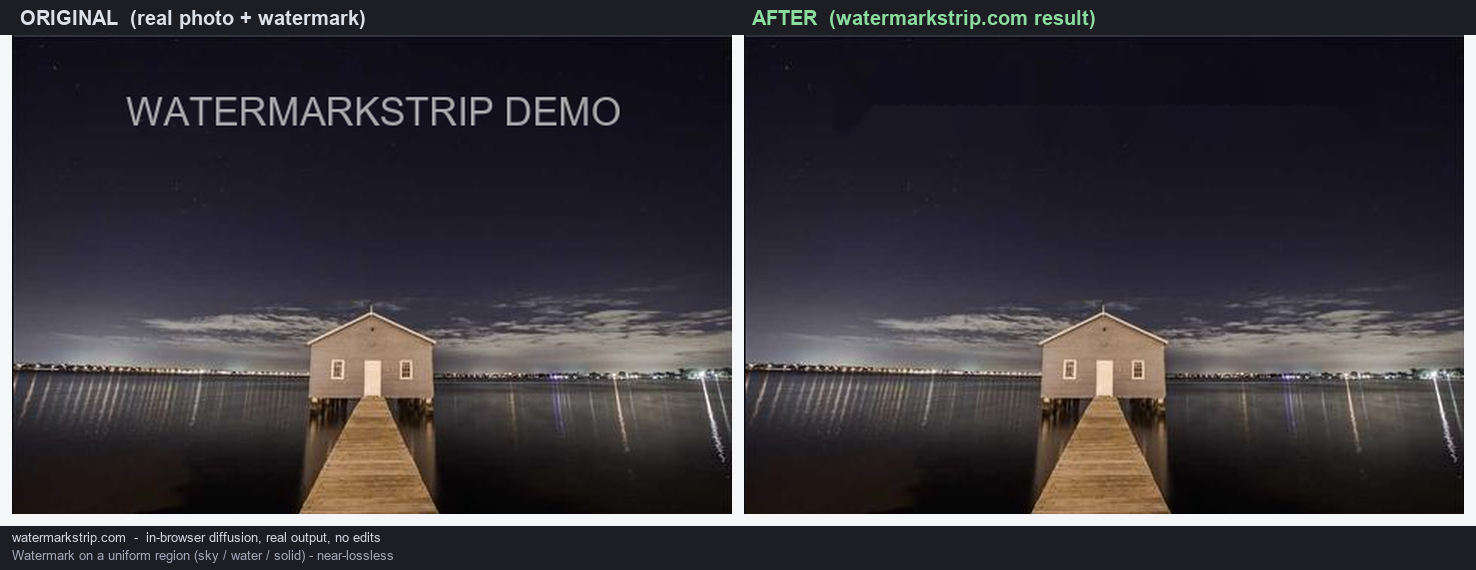
What 'free' has to mean before the word is true
'Free' is the most abused word in this niche. A remover only deserves it when all five of these hold:
- No charge and no meter — not '3 free removals per day', not a 'free trial'.
- No watermark added on export — plenty of free removers stamp their own logo on your result.
- No resolution penalty — 'free tier exports at 720p, paid unlocks HD' is the oldest trick in the book.
- No format tax — PNG (or the format you need) available free, not JPEG-only.
- No trial clock — nothing that expires, because nothing is counting.
Here is the status of each on this page, straight from the code.
The five catches, checked one by one
- 1. No charge, no meter. The tool's own FAQ states it: 'Yes — no payment, no login, no credits. It is free to use in your browser.' The code agrees: there is no billing, pricing or checkout code of any kind, and nothing that could remember a count — no
localStorage, nosessionStorage, noindexedDB, no cookies. A usage limit needs a counter; this page has nowhere to put one. - 2. No watermark on the export. While you paint, the canvas shows a translucent red overlay (
rgba(255,80,80,0.55)) — that is guidance for your brush, not content. Clicking Remove replaces the entire canvas with the finished image (putImageData), and the Download button only appears after that moment. So the file you get is exactly the result, under the namewatermark-removed.pngorwatermark-removed.jpg, with nothing stamped on it. - 3. No resolution penalty. The canvas is created at the image's own
naturalWidth×naturalHeight, and no resize call exists anywhere in the code — the export keeps your original pixel dimensions. The only size-related line is a warning, not a block: 'Image is very large; processing may be slow or limited by browser memory.' The page keeps loading; your RAM is the ceiling, not a policy. - 4. No format tax. The export selector offers both PNG and JPEG, free. Inputs are free too: PNG, JPG, WebP, BMP and GIF (first frame).
- 5. No trial clock. Nothing expires because nothing counts: no storage, no server session, no account. Close the tab and there is no 'you' left to time out.
Remove a watermark from a photo online free: what 'online' means here
'Online free' usually means one of two things: uploaded to a server, processed on someone's GPU, free until the daily meter runs out — or free with a stamped export. This page is online only in the boring sense: your browser downloads the page and its two files (styles.css, app.js), and from that moment the work happens inside your tab. There are no network calls in the removal path — no fetch, no XHR, no WebSocket, no sendBeacon — so there is nothing to upload and no server bill to pass on to you. That is also why it can stay free structurally instead of strategically: a cloud remover pays for GPUs and storage per image; this one pays nothing per image, so there is no meter that ever needs to turn on.
Don't take this page's word for it — the same DevTools check works on any tool: see how to verify any remover's upload behavior yourself, and for what happens to the pixels, how in-browser removal works.
What the free download actually contains, byte for byte
"No watermark on the export" is easy to claim, so here is the file-level version of it. I took a 480×360 JPEG carrying 17 deliberately written EXIF tags - camera make and model, date and time, artist, copyright notice, exposure, ISO and GPS coordinates - ran it through this page's normal remove-and-download flow, then parsed both outputs byte by byte.
- Source: 55,475 bytes, carrying a 436-byte
APP1"Exif" segment that held all 17 tags. - PNG output: 261,612 bytes. The complete chunk list is
IHDR, 64IDATchunks,IEND- and that is the entire file. NoeXIfchunk, notEXt, noiTXt. Zero tags survive. - JPEG output: 38,769 bytes. Marker segments in order:
FFE0JFIF,FFE2ICC, then the image data. There is noFFE1"Exif" segment at all.
Two details in that list carry more weight than the headline number. First, the source had no ICC profile and the output JPEG has a 472-byte one - written by the browser on export, not inherited from your photo. Second, the PNG came back as RGBA where the source JPEG was RGB, with an added alpha channel that is fully opaque. Neither is a defect; both are the signature of a file that was re-encoded from a canvas rather than patched in place.
That is also why nothing survives: the removal script contains no code that reads, copies or strips metadata - a search of it for exif, metadata, iptc, xmp and icc returns zero matches. A canvas holds pixel values and has nowhere to keep a metadata container, so there was never a place for your tags to travel through. The honest flip side: nothing here can be configured to keep your metadata either. If a copyright notice or a "date taken" needs to travel with the file, write it back afterwards or keep the untouched original alongside. The segment-by-segment write-up, including the one EXIF tag that changes your pixels before you edit anything, is in does watermark removal keep EXIF data?
What you still pay (and it isn't money)
- Brush time. There is no auto-detection: you mark the watermark yourself with a brush you can size from 4 to 120 px (default 24). On a clean logo that is ten seconds; on scattered text it takes patience.
- One image at a time. No batch, by design — fifty product shots means fifty runs.
- Your device's memory. On very large images the page warns up front (the line quoted above); the ceiling is your hardware.
- Honest expectations. The tool page says it outright: best on small or simple watermarks over smooth areas; complex or large marks may leave a trace. And the fill is deterministic — it propagates surrounding pixels rather than inventing new ones. Why that is a feature and not a bug is covered in generative vs propagation removal.
When a paid remover is genuinely worth it
Free is not a purity test; it is a fit question. Paid wins when: you process hundreds of images a week and need batch; you need video (this build is images only); you need auto-detection at scale; or the mark sits over a complex texture where a generative cloud model produces a better fill — with the accepted trade-off that the result then contains invented pixels. For everything one-off, private or budget-shaped, free-and-local is not the compromise; it is the point.
Two boundaries worth knowing even in a free tool: no-signup does not mean no-rules — what the law actually says about removing a watermark — and if you also refuse accounts entirely, that is covered in watermark remover without signup.
FAQ
- How do I remove a watermark from a photo for free? Choose the image (or drop it in), paint over the watermark with the brush, click Remove watermark, then download. There is no payment step anywhere in the flow — the Download button appears as soon as removal finishes.
- Is this a truly free watermark remover, or a free trial? Truly free. There is no billing code, no counter and no storage in the page — a 'trial' needs something to count your uses, and this page has none.
- Will the free download have the tool's own watermark on it? No. The red overlay you see while painting exists only during editing; removal replaces the whole canvas with the clean result before the Download button appears. The export is your image only.
- Does free mean lower resolution? No. The export keeps your image's original pixel dimensions, and both PNG and JPEG are free. The only size-related behavior is a warning on very large images — a warning, not a limit.
- Do I need an account to use it free? No — there is no account system at all. What no-signup means at the code level covers it in detail.
- Is removing a watermark from an image free of legal risk too? 'Free' is about price, not permission. Whether a removal is lawful depends on the image and the mark — see the quoted statutes in the legal guide.