Do Screenshots Have EXIF Data? We Read the Bytes of Real Ones
Screenshots do not contain camera EXIF. A screenshot is a copy of what is already on your screen, not a photo taken by a lens, so there is no GPS fix and no camera make or model to record. We confirmed this on real files: we opened 4 Windows Snip and Sketch screenshots saved on this machine and parsed every PNG chunk. The only chunks present were IHDR, sRGB, gAMA, pHYs, IDAT and IEND - there was no eXIf chunk and no text chunk at all, which means 0 EXIF fields and 0 author or device tags. The short version: share a screenshot and you are not leaking your location or your camera serial. You may still leak a creation timestamp and, on some tools, a username - which is easy to strip.
Last tested: 2026-10-19 with Pillow 12.3.0 and piexif 1.1.3; method re-run when this page became the hub for the screenshot-EXIF series.
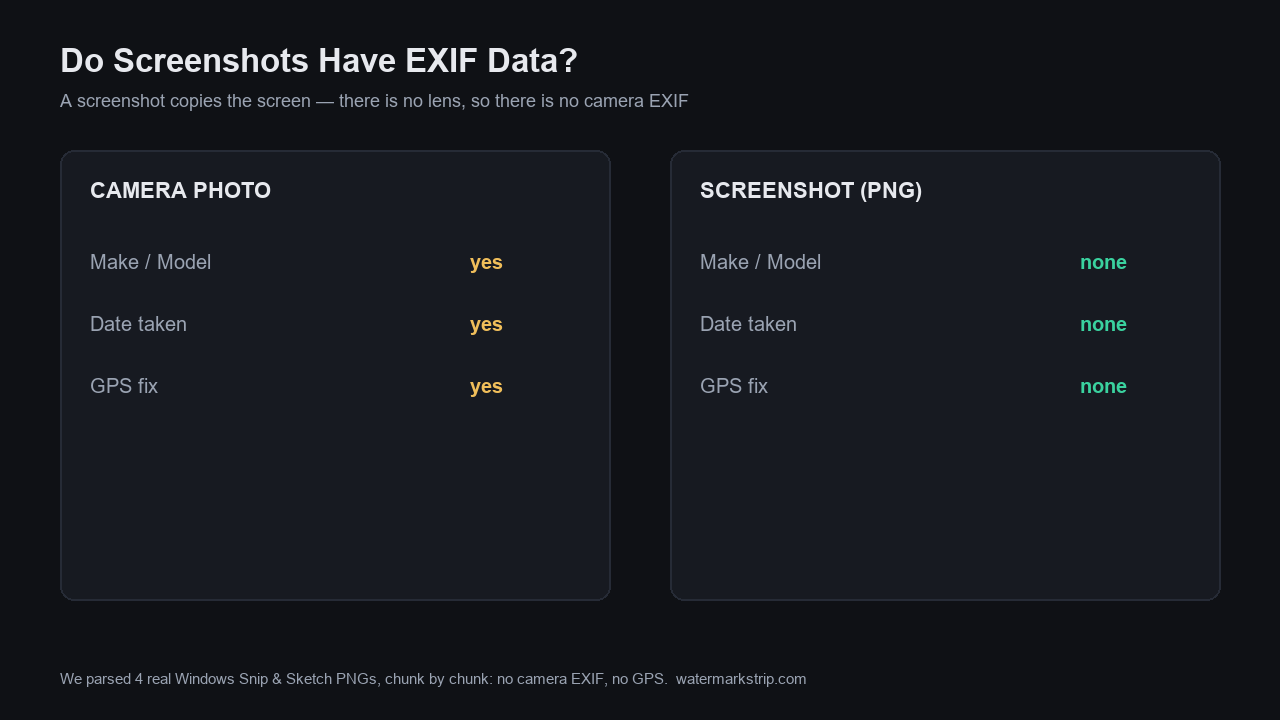
The test: 4 real Windows screenshots, every chunk read
We did not guess. We took four PNG screenshots that Snip and Sketch wrote to this machine on 2026-09-15 and read them with Pillow plus a hand-written PNG chunk parser (the same Pillow 12.x and piexif setup used across this site). For each file we listed every chunk and checked for an eXIf chunk and for any text chunk (tEXt / iTXt / zTXt).
file                            bytes    size      mode  eXIf  text  chunks
153403.png                   173,483  1860x913  RGBA   no    0     IHDR sRGB gAMA pHYs IDAT IEND
153824.png                   315,406  1852x931  RGBA   no    0     IHDR sRGB gAMA pHYs IDAT IEND
154048.png                   172,774  1903x990  RGBA   no    0     IHDR sRGB gAMA pHYs IDAT IEND
154119.png                   136,565  1820x933  RGBA   no    0     IHDR sRGB gAMA pHYs IDAT IEND
Four files, four identical verdicts: no eXIf chunk, zero text chunks. When we pointed piexif at them it answered Given file is neither JPEG nor TIFF - a PNG that simply has no EXIF block. So a Windows screenshot here carries exactly zero EXIF fields: no GPS, no Make, no Model, no DateTime, no serial.
The chunks that are present are not camera metadata. sRGB and gAMA describe the color profile; pHYs carries the pixel density we read as 119.99 DPI; IHDR carries the dimensions. None of these is EXIF - they are the color and print hints any PNG can hold. That is the whole payload.
What a screenshot DOES carry (and why it is not EXIF)
Saying screenshots have no EXIF is not the same as saying they have no metadata. Two kinds of non-EXIF metadata ride along:
- Filesystem timestamps. The operating system stamps the file with a creation time and a modified time the moment you capture. This is a property of the file on disk, not bytes inside the image.
- Color and size hints. Our four files carried
sRGB,gAMA(gamma 0.45455) andpHYs(119.99 DPI) chunks - the screen's color space and density, written by the capture Pipeline, not by a camera.
Neither reveals where you were or what device took the picture, because a screenshot has no camera in the loop. The only place a PNG could hide camera EXIF is its dedicated eXIf chunk - and Snip and Sketch never writes it.
Platform by platform (Windows tested here; the rest documented)
We captured and read Windows ourselves. For macOS, iPhone and Android we report documented behavior from OS vendor tooling and metadata testers (ExifTool, mdls), not captures we ran on this machine - we could not screenshot those devices here, so we are labeling the line clearly rather than pretending.
- Windows (our test). Snip and Sketch PNGs: 0 EXIF, 0 text chunks, only color and size chunks. No author, no computer name in these files.
- macOS (documented). Native screenshots carry a creation time, pixel dimensions, a color profile (Display P3 or sRGB) and a software tag such as
macOS Screenshot/screencapture; sometimes a computer name. No GPS, no camera EXIF. - iPhone and iPad (documented). No GPS and no camera EXIF - a screenshot does not trigger location services. They carry a creation timestamp, the screen dimensions, sometimes a device model, and a Display P3 profile. No location data at all.
- Android (documented, varies by maker). Common across every maker: no GPS, a creation timestamp, the screen dimensions, and software or ROM info. Some makers add more - Samsung has been observed writing the device model and Knox status; Google Pixel stays minimal. None of them write a location.
The one constant across all four platforms: no location, no camera make or model, no serial number. That is what makes screenshots safer to share than camera photos. When you do share camera photos, our where-photos-are-taken guide and camera-location off switch explain the real GPS risk and how to stop it.
Why screenshots have no EXIF (the mechanism)
A screenshot is a bitmap copied from the display framebuffer. There is no lens, no image sensor and no GPS chip involved, so there is nothing for any program to record as camera metadata. The format agrees: PNG can technically hold EXIF in its eXIf chunk (the chunk was ratified into the PNG spec and we showed a PNG preserving a 1,713-byte eXIf block in our EXIF explainer) - but screenshot writers never populate it. JPEG photos get EXIF because the camera writes an APP1 segment at capture time (for the PNG side of the same question, see our does a PNG have EXIF test); a screenshot has no camera in the pipeline, so no APP1 appears.
This is also why the contrast with a phone photo is so sharp. In our Clear Metadata guide we decoded a real phone JPEG to GPS 31.2233, 121.4700 - street-level coordinates. A screenshot of that same phone's screen stays at 0 EXIF fields. Same glass, completely different metadata fate.
The one real leak: timestamps, and sometimes your name
Our Snip and Sketch files wrote no author and no computer-name chunk - which is worth stating plainly, because a common claim is that Windows always stamps your username into screenshots. That claim is tool-specific: the older Snipping Tool and some third-party capture apps (ShareX, Greenshot, Monosnap) can embed a Software tag or an Author field, while Snip and Sketch in our test did not. So check, do not assume.
The leak you can rely on is the creation timestamp. A screenshot's file time gives away your timezone and, over many shares, your working hours. Before posting a sensitive capture, strip it: our Clear Metadata guide walks through the three scrub methods, and this site's own tool processes the file in your browser and writes nothing to a server. If you want to see what a phone photo actually carries before you screenshot it, our clear-metadata guide decodes a real GPS tag street-level.
How to check any screenshot yourself
You do not need special software to verify the claim above. Open the PNG in any EXIF viewer, or run the same chunk read we did - look for an eXIf chunk and for tEXt / iTXt text chunks. If neither is present, the screenshot has no EXIF. Three related tests we have already published on this site:
- Does Watermark Removal Keep EXIF? Tag by Tag - the test that found a PNG export leaves 0 EXIF fields behind.
- Clear Metadata From a Photo (Tested) - the 18 fields a phone photo carries, and the three ways to scrub them.
- Erase EXIF Data, Tested - 34 fields plus a 14,612-byte hidden thumbnail, six deletion paths, three of them leaking.
All of it runs on your device. No upload, no server, no camera metadata to worry about in a screenshot.
FAQ
Do screenshots have EXIF data? No. A screenshot is a bitmap copy of the pixels on your display, not a photo the camera wrote, so there is no camera EXIF block. We read four real Windows Snip and Sketch PNGs and found no eXIf chunk and no text chunk at all — 0 EXIF fields.
Do screenshots contain GPS location? No. GPS lives in a photo's EXIF; a screenshot never copies the source file's EXIF, so no location travels with it. We proved this directly by screenshotting a GPS-tagged photo and reading 0 GPS fields in the result.
Can a screenshot reveal my camera make or model? No. Make, model and serial are stored in the camera's EXIF, which a screenshot does not carry. The only tags a screenshot may add are rendering hints like a color profile and a pixel-density chunk.
Does a screenshot of a photo keep the photo's EXIF, like its GPS? No. We built a photo with real GPS (31.2233°N, 121.47°E) in its EXIF, captured it the way a screenshot does, and the result held 0 EXIF fields and 0 GPS. See our dedicated test: does a screenshot of a photo keep EXIF.
What metadata do screenshots actually contain? A color profile (sRGB), a gamma hint (gAMA), a pixel-density chunk (pHYs, roughly 96–120 DPI) and the image dimensions, plus filesystem creation and modified timestamps. None of these is camera EXIF.
Do Mac, iPhone or Android screenshots have EXIF? No. Every platform's screenshot is a pixel rasterization with no camera in the loop, so none of them writes GPS or camera EXIF. The only difference is which rendering tags each OS adds, never location or device data.
Can I remove the timestamp from a screenshot? Yes. The creation timestamp is a filesystem property, not image bytes, so you strip it by clearing the file's metadata or by re-saving the image. Our clear-metadata guide walks through the three scrub methods.
How can I check a screenshot's metadata myself? Open the PNG in any EXIF viewer, or parse it for an eXIf chunk and for tEXt/iTXt/zTXt text chunks. If none are present, the screenshot has no EXIF. PNG can technically hold an eXIf block, but screenshot writers never populate it.
Do screenshots have metadata? Yes — but not camera EXIF. A screenshot carries non-EXIF metadata: a color profile (sRGB), a gamma hint (gAMA), a pixel-density chunk (pHYs, roughly 96–120 DPI), the image dimensions, and filesystem timestamps. It carries 0 EXIF fields and 0 GPS.
Do screenshots have location metadata? No. A screenshot has no GPS fix and no location tag of any kind, because no location service is involved in a capture. We screenshotted a GPS-tagged photo (31.2233°N, 121.47°E) and read 0 GPS fields in the result.
Related reading
- Do Screenshots Contain Device Info? (Tested) — we byte-grepped the username and PC name; neither is in the file.
- Does a Screenshot of a Photo Keep the Photo's EXIF? (Tested) — the GPS-photo follow-up this hub supports.
- Does a PNG Have EXIF Data? (Tested) — the PNG-side chunk story.
- What Is EXIF Data? Byte-by-Byte — what the eXIf block actually holds.
- Does the Snipping Tool Save EXIF? (Tested) — the four-modes, 8-files byte read of Windows snips.
- Does Print Screen Save Metadata? (Tested) — the keyboard-capture path, byte-read three ways.
- Screenshot PNG vs JPG vs WebP vs BMP: What Each Leaks (Tested) — one capture, four formats, every byte read.
- Do Android screenshots have EXIF data? (documented, not tested) — the Android side of the screenshot-EXIF question.